
Computer Maintenance & Repair
Every Hour a Device Is Down Is an Hour
Your Business Is Not Moving
Skipped maintenance compounds. Degrading disk health becomes a failed drive. An overheating server becomes an unplanned outage. An aging workstation becomes an emergency purchase at the worst time. Cobham Tech runs scheduled diagnostics and preventive maintenance so failing hardware is caught before it pulls your team offline.
Schedule a Device AssessmentWhat's Included
Preventive Care and Rapid Response, Not Just Break/Fix
Reactive repair is the most expensive way to maintain technology. We identify hardware that is about to fail, software that is causing performance degradation, and devices approaching end of life, before the failure takes your team offline.
Engagements take one of two shapes: a defined buildout, imaging and deploying every workstation and device for a new office or practice so it is ready on opening day, typically three to four weeks, or continuous scheduled maintenance and rapid-response repair once you are up and running. Most clients start with the first and move directly into the second.
Hardware Diagnostics & Preventive Maintenance
Scheduled hardware checks, disk health, memory stability, thermal performance, and power systems, to catch failures before they happen and extend device lifespan.
Hardware Repair & Component Replacement
On-site and depot repair for workstations, laptops, servers, and peripheral devices. Failed drives, power supplies, memory, screens, and motherboards replaced with quality parts and documented service records.
Operating System Imaging & Deployment
Standardized OS images with your applications and settings pre-configured mean a new workstation is ready in under an hour, not a full day of setup, whether it is a single replacement machine or every device in a new office imaged and deployed before opening day.
Software Troubleshooting & Virus Removal
Diagnosis and removal of malware, adware, and spyware, plus root cause analysis to prevent reinfection. Software conflicts, crashes, and performance issues resolved at the source.
Hardware Upgrades & Performance Tuning
RAM upgrades, SSD replacements, and GPU additions that extend the productive life of existing hardware, at a fraction of the cost of full device replacement.
Asset Lifecycle Tracking
A documented inventory of every device, purchase date, warranty status, and replacement timeline, so end-of-life hardware is replaced on a planned schedule, not as an emergency.
What Changes When Devices Are Properly Maintained
Fewer Unplanned Failures
Preventive maintenance catches degrading hardware before it causes an outage. Your team stops losing days to emergency repairs and data recovery.
Devices Last Longer
Properly maintained workstations and servers operate reliably past their expected lifecycle, reducing the capital expenditure your business needs for hardware refreshes.
No Emergency Purchases
Asset lifecycle planning means you budget for hardware replacements on your schedule, not because a device failed at the worst possible moment.
What We Service
We Work on the Hardware Your Business Depends On
Workstations, laptops, servers, and network equipment. Diagnostics on drives, memory, cooling systems, and power supplies. Component replacement and upgrades that extend device life and defer the cost of full replacements.
We document every device we touch, what was found, what was done, what was replaced. That record becomes part of your IT asset inventory.

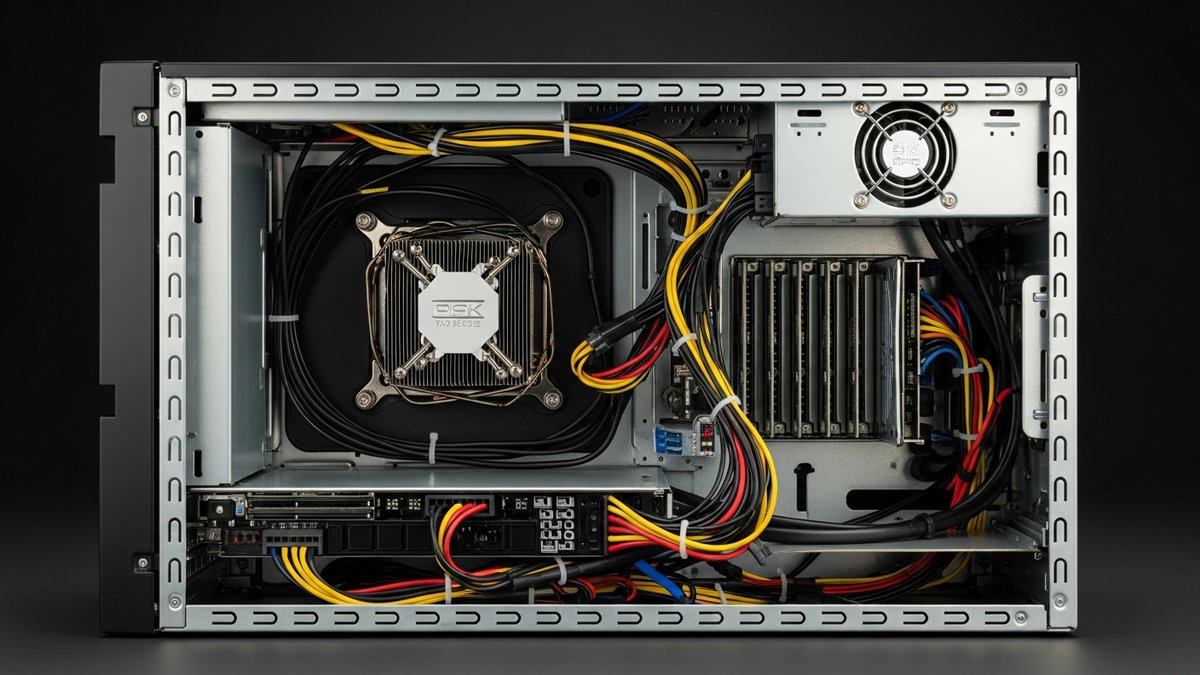
Proactive vs. Reactive
Maintenance Scheduled Before Failure Costs Less Than Emergency Repair
Deferred maintenance compounds. A drive running at 95% SMART failure threshold will eventually fail, the only question is whether it fails during a quiet Tuesday morning or during month-end close.
Cobham Tech builds maintenance schedules based on your device inventory. Critical systems get priority review cycles. Aging hardware gets flagged before it becomes an incident.
In a professional office or medical practice, one failed front-desk workstation can stop patient check-in or cut off a clinician's access in the middle of the day. Those devices get priority monitoring and defined SLA response times, and asset lifecycle tracking matters as much for compliance-minded environments as it does for budget planning.
Common Questions About Computer Maintenance and Repair
Do you repair both Windows and Mac devices?
Yes. We service Windows workstations, laptops, servers, and Mac hardware used in business environments. For mixed environments, we maintain consistent documentation and asset tracking across platforms so nothing slips through the gaps.
How long does a typical repair take?
Simple repairs, virus removal, software troubleshooting, RAM upgrades, are typically resolved same day or next day. Component replacement and hardware failures requiring parts sourcing usually take two to five business days. We communicate timelines upfront and do not leave you waiting without an update.
Is it worth repairing older hardware or should we just replace it?
It depends on age, failure type, and replacement cost. We give you both numbers: repair cost versus replacement cost, with expected lifespan for each option. Most businesses over-replace hardware that was repairable and under-replace hardware that is genuinely at end of life. We help you make the right call for each device.
Can you set up new workstations and migrate our data?
Yes. We image new workstations with your standard applications and settings, migrate user profiles and data from old devices, and deliver a ready-to-work machine, not a fresh Windows install with nothing configured. Employees are productive from day one.
Do you track warranty and end-of-life dates for our devices?
Yes. Asset lifecycle tracking is included for managed clients. We maintain a documented inventory with purchase dates, warranty expiration, and recommended replacement timelines, so hardware refreshes are planned and budgeted, not surprised.
Do you handle new office buildouts, or only ongoing repair and maintenance?
Both, and most clients move from one into the other. A new office or medical practice opening typically needs a defined buildout: imaging and deploying every workstation, laptop, and peripheral so the location is fully operational on opening day, usually a three to four week project depending on device count. Once you are live, we shift into scheduled maintenance and rapid-response repair under defined SLA response times, and the same team that built out your environment keeps the asset inventory current from there.
Free Consultation
Talk to a Local IT Expert
Tell us about your business and we will follow up within one business day with a straight answer on how we can help.
Know the State of Every Device Your Business Depends On
A free device assessment identifies which hardware needs attention, which is approaching end of life, and what a preventive maintenance plan would look like for your environment.
Schedule Free Device Assessment